Anker Prime TB5 vs Caldigit TS5 Plus: 5 Months In (My Pick)
If you read the launch post, you saw me complain about spending five hours researching a docking station back in December. Not buying it. Researching it.
This is what I actually bought.
Heads up: this post contains Amazon affiliate links. If you click through and buy something, I earn a small commission at no cost to you. As an Amazon Associate I earn from qualifying purchases. I won’t link anything I wouldn’t buy with my own money — that’s the whole deal. The long version of this is in Why I Started The Tech JAM.
TL;DR
Anker Prime TB5 vs Caldigit TS5 Plus, five months in: I bought the cheaper Anker. The TS5 Plus is the right call if you actually have a workstation. The Anker is the right call if you have a normal desk. My rating: 4 / 5. Here’s the full read.
The shortlist
By the time my Saturday afternoon was burning, my cart had narrowed to two options. The Caldigit TS5 Plus, a Thunderbolt 5 dock built for pro workstations: twenty ports, 10-gigabit ethernet, dual USB controllers, support for two 8K displays. And the Anker Prime TB5, a Thunderbolt 5 dock with fourteen ports, the same 140W charging, and a meaningfully lower price tag.
Same Thunderbolt generation. Very different price.
The Caldigit was the premium pick for someone with a workstation-class setup. The Anker was the value bet for someone with a normal desk. I have a normal desk.
I went with the Anker. Five months later, here’s why I’d do it again.
Why I picked the cheaper one
A few things stacked up while I was reading.
The price gap was real. The TS5 Plus runs in the same neighborhood as a decent monitor. The Anker came in well below it for the same Thunderbolt 5 spec, the same 140W charging, and dual-display support that covered my setup either way.
Most of what makes the TS5 Plus expensive is gear I don’t have. 10-gigabit ethernet only matters if you’ve got a 10GbE network at home, and I don’t. Dual USB controllers earn their keep when you’re saturating bandwidth across audio interfaces and capture cards. I’m running a webcam and a wireless receiver. Twenty ports is the right number when you have twenty things to plug in; once I actually counted my desk, I had six. The TS5 Plus is purpose-built for professional workstations. My desk is a WFH desk that turns into a gaming setup at night.
The Caldigit reviews didn’t feel like the clean sweep the comparison sites suggested. Reading Reddit threads and Amazon reviews, I found a steady drumbeat of small issues across Caldigit’s TB5 lineup: random disconnects, firmware updates that broke things, fan noise loud enough to mention. Not a majority. But enough that I stopped feeling great about paying premium money for “the safer” pick.
Once I counted what I actually needed plugged in — two monitors, ethernet, a webcam, a Logitech receiver, and a charging cable on the front — I was nowhere near the TS5 Plus port count. The Anker’s fourteen ports cleared every slot on my list with room to spare.
If I had a workstation-class setup, the math might tilt the other way. I don’t.
My actual setup, plugged in
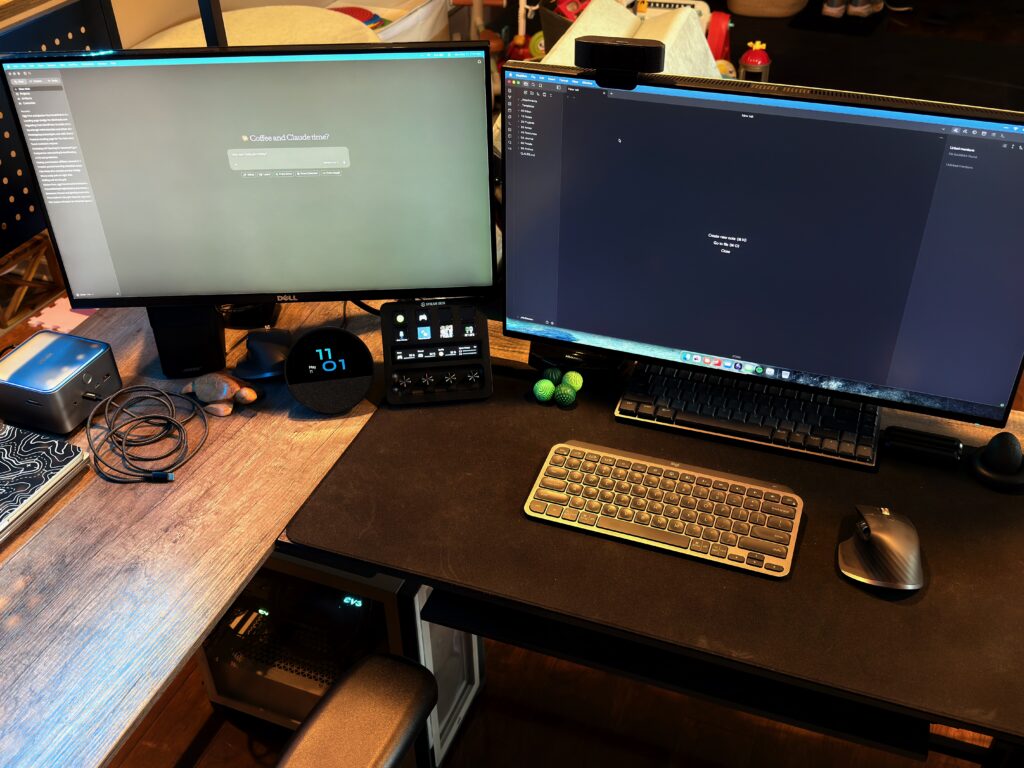
Here’s what’s running through the Anker right now:
- Two 1440p monitors
- Ethernet (the home Wi-Fi is fine, I just like the latency floor on work calls and ranked play)
- A USB webcam for Zoom and Microsoft Teams
- The Logitech Bolt receiver for my keyboard and mouse
- The front USB-C port, daily, for fast-charging my phone or my MacBook Air when I’m working away from the desk
- A USB-C-to-HDMI dongle in the back, feeding the second monitor (more on that in a minute)
The two laptops the dock has to swap between are my work laptop and a MacBook Air M4 13″. One cable into the dock, both machines come up with everything plugged in.
That’s the test it was bought to pass: plug-and-play swap, no morning ritual of re-seating six cables. Five months in, it passes.
What’s actually been good about it
The honest answer is that it’s been quiet. Which is what you want from a docking station.
I haven’t had to think about it since the day I plugged it in. No firmware drama. No mid-call disconnect that turned my camera off. No mystery moment where one of the monitors decided not to wake up. It’s the appliance my desk needed it to be.
The 140W charging on the Anker Prime TB5 is genuinely useful for the MacBook Air. I don’t always remember to charge before I sit down, and the dock just handles it.
The front USB-C is the kind of small thing I underestimated. It’s now the default charging spot for whatever’s running low, easy to reach without fishing around behind the monitors.
The HDMI gotcha
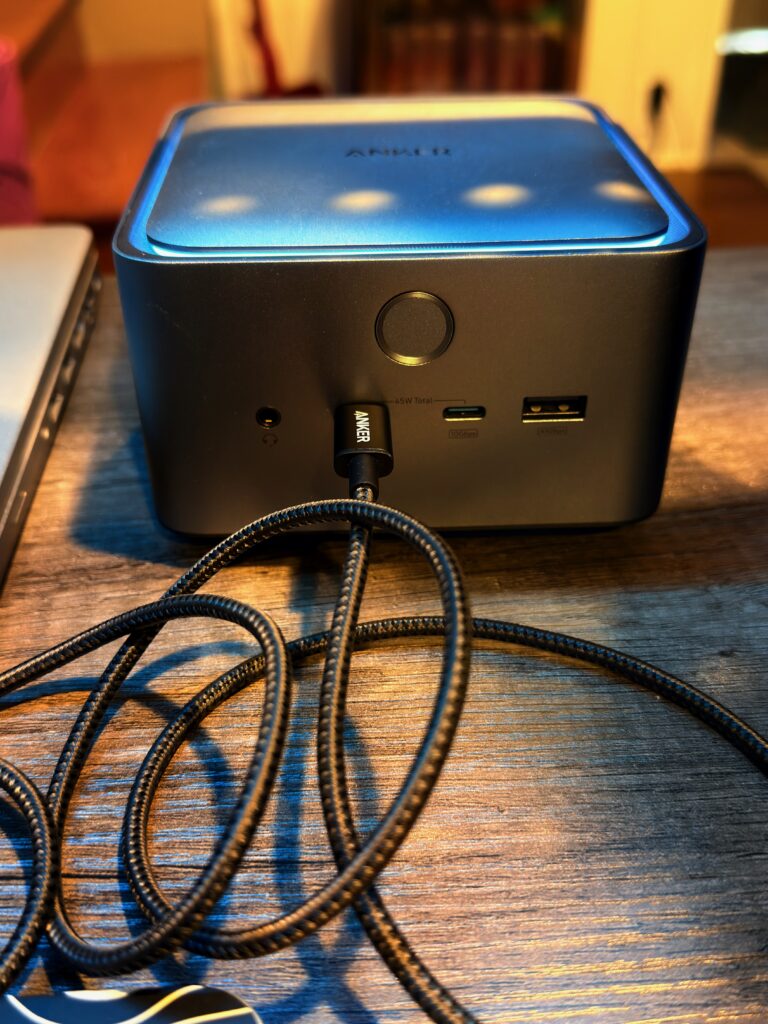
If you’re running two HDMI monitors, check the dock’s display port layout before you buy. The Anker Prime TB5 has one HDMI port. That’s it. The second monitor has to come through DisplayPort or a USB-C-to-HDMI dongle off one of the rear data ports.
I went the dongle route. The thing actually feeding monitor two is a VAVA USB-C hub, hanging in the cable tray under the desk. It works fine. But it’s an extra piece of hardware in the chain and an extra failure point if anything ever flakes out.
The VAVA isn’t on Amazon anymore, so I can’t point you at the exact one. The travel hub I’d buy today is this Anker USB-C hub — I already own one and use it whenever I’m working off the MacBook Air on the road. Same HDMI passthrough as the VAVA, plus Anker’s reliability is the reason I went with their dock in the first place.
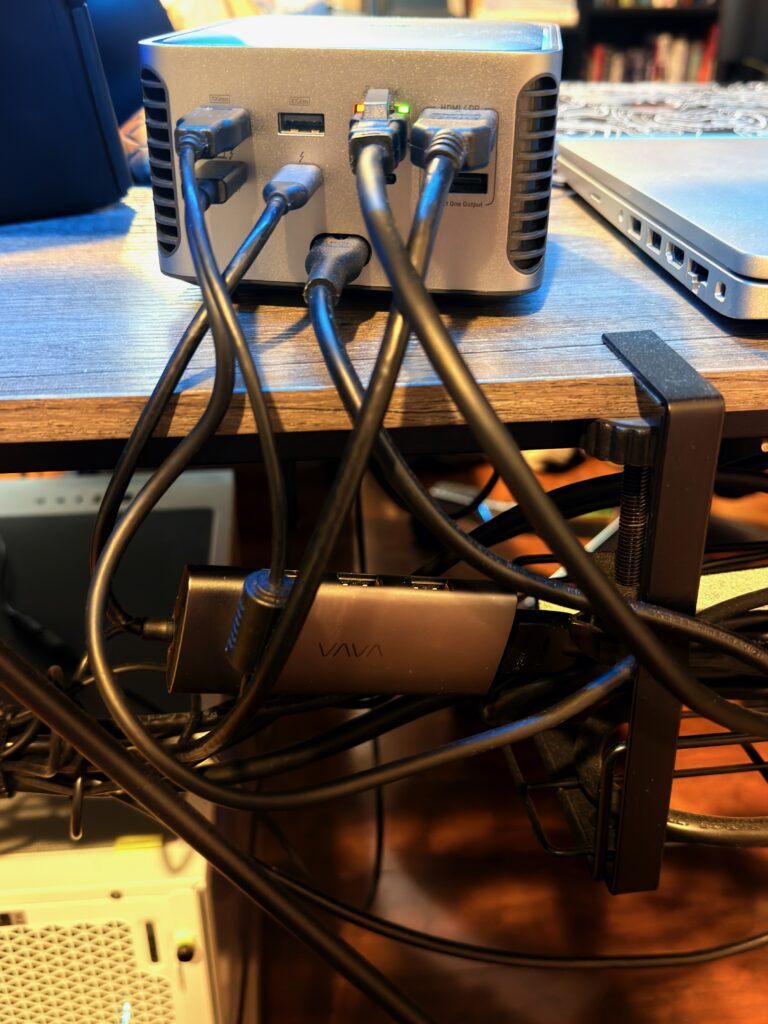
In hindsight, I would have at least looked at TB5 docks with two HDMI ports before settling on this one. The Anker might still have won on price. But I’d have made the call with my eyes open instead of fixing it after the box was on the desk.
If both your monitors are HDMI, dig into the spec sheet. “Dual display support” is not the same as “two HDMI ports.” A lot of docks pair one HDMI with one DisplayPort. Check your monitors’ inputs or budget for the dongle.
The honest caveats
A few things I want to be straight about, because reviews that don’t include caveats aren’t reviews.
I am not pulling Thunderbolt 5 speeds out of this dock today. Both my daily-driver laptops are Thunderbolt 4-class — the MacBook Air M4 13″ is TB4, and so is my work laptop. The TB5 spec on the Anker is pure headroom for me right now: it’s there for the next laptop refresh, the next monitor upgrade, an external GPU or fast SSD if I ever go that route. If you’re sure your gear is staying TB4-class for the foreseeable future, you’re paying a small premium for ports you won’t use at full speed today. I made that bet on purpose. You might not want to.
Five months isn’t five years. Both the Anker Prime TB5 and the TS5 Plus are new TB5 products. Neither has the multi-year reliability track record people quote about Caldigit’s older docks like the TS3 and TS4. I’ll have a real read on the Anker’s longevity in 2027, not 2026. So far, no complaints.
I haven’t stress-tested 8K dual-display, external SSDs at TB5 speeds, or multi-display gaming through the dock. What I’ve tested is one person’s WFH-plus-gaming desk, swapping two laptops, every workday for five months. Take that as the scope.
Who I’d recommend it for
If you’re me — WFH adult, two-laptop swap, two 1440p monitors, normal peripheral count, want one cable in and out — the Anker Prime TB5 is the smart pick. You save money, you get TB5 future-proofing, and the port count covers a real desk without overkill.
If you’re running a workstation-class setup — multiple displays at high resolution, a 10GbE network, fast external storage, audio interfaces, capture cards, the works — the Caldigit TS5 Plus is built for you. The extra ports, the 10-gigabit ethernet, and the dual USB controllers all earn their keep when the workload actually demands them. Pay for what you’ll use.
If you’re on a tighter budget than either, neither dock is the right call. There are TB4 docks in the $150–$250 range that handle a basic dual-monitor WFH setup fine. I’d rather you spend the saved money on a better monitor than max out the dock.
Verdict
I’d give the Anker Prime TB5 a 4 / 5. One star off — half for the HDMI gotcha, half for the fact that I haven’t seen the dock past five months yet. Everything else clears.
Five hours of December research and five months of daily use later, this was the right call for my desk. It’s quiet, it does the swap thing it was bought to do, and it didn’t cost me workstation-class money to do it.
If you’re between the two, that’s my answer. If your setup is actually big enough to use what the Caldigit TS5 Plus gives you, it’s the other end of the same conversation, and you won’t regret it either.
The post you can probably skip is mine, in 2027, when I’ve had a year of long-term data and either confirm this take or eat my words. I’ll write it either way.
— J.A.M.